

Revizto vs BIM Collaborate Pro vs Trimble Connect: Which Model Coordination Tool Wins?
Model coordination lives or dies on the platform you use to find and resolve clashes. We compare the three leading options on usability, integration, and what they cost a busy project team.
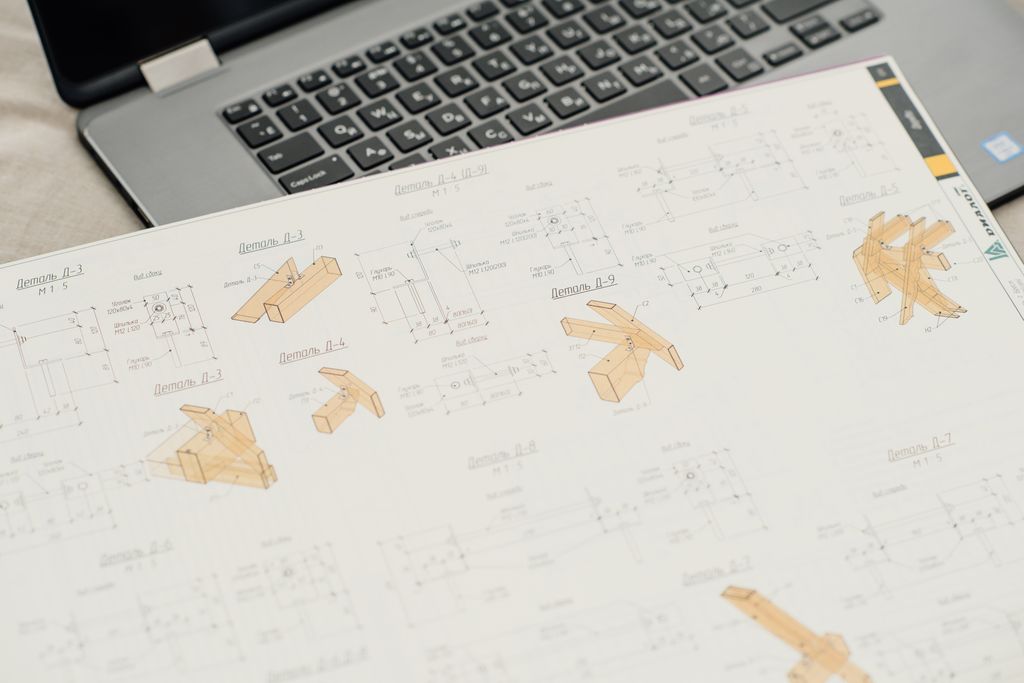
Coordination meetings can go two ways. In a good one, everyone sees the same model, the clashes are clear, and each problem gets assigned to a person who fixes it. In a bad one, people squint at drawings, argue about whose fault it is, and walk out with nothing tracked. The difference is often the tool you use to find and resolve clashes. Three popular cloud options are Revizto, Autodesk BIM Collaborate Pro (renamed Forma Design Collaboration in March 2026), and Trimble Connect. Autodesk’s desktop tool, Navisworks Manage, is still widely used for clash detection too. We focus on the three cloud platforms here because they handle both the clash check and the issue tracking that follows.
Here is the short version. Revizto is known for fast, visual issue tracking that even non-technical people can follow, built around assigning each issue to a person. BIM Collaborate Pro is the natural pick for Revit-heavy, Autodesk-centric teams. Trimble Connect is flexible and strong for open, mixed-vendor work, and it has a free tier to start. The best tool depends on your existing software stack and how simple your coordination meetings need to be.
Quick overview: who each tool is for
Start with the one-line version of each, because that alone points most teams in the right direction. Revizto is a coordination and issue-tracking platform. It pulls models from many tools into one fast, visual space, and it is built around finding clashes and assigning them to people. This is the accountability-first tool.
BIM Collaborate Pro is Autodesk’s coordination platform, now sold as Forma Design Collaboration. It connects tightly to Revit and Autodesk Construction Cloud (now Autodesk Forma), with model coordination, clash detection, and cloud worksharing all in the Autodesk world. This is the Autodesk-native tool. Trimble Connect is an open coordination hub that centralizes architectural, structural, and MEP models, leans on open formats, and works well when different firms use different software. This is the open, mixed-vendor tool.
All three find clashes. The difference is what happens after the clash is found.
Ease of use and the coordination meeting
This is where teams feel the biggest day-to-day difference. Revizto’s reputation is speed and clarity. It is known for loading big combined models quickly and showing them in a simple, visual way. People who are not BIM experts can still follow a Revizto meeting, see the clash, and understand the fix. For a room with a super, a PM, and a few engineers, that clarity helps.
BIM Collaborate Pro feels natural to teams already living in Revit and Autodesk Construction Cloud, because it is right there in the same world. Trimble Connect is clean and approachable too, especially for sharing across firms. Its strength is being the neutral meeting ground, not a single vendor’s home turf.
Clash detection and issue tracking
All three find clashes. The difference is what happens after the clash is found. Revizto shines at the after part. You create an issue, assign it to a person, set a due date, and track it to closed, all inside the model. Everyone can see who owns what, which makes it harder for issues to slip. Accountability is the whole design.
BIM Collaborate Pro has strong, modern clash detection tied right into the Revit and Autodesk workflow, so issues flow back to the people modeling in Revit without leaving the ecosystem. Trimble Connect gives you solid clash detection out of the box and centralizes the models, which is plenty for many teams, especially mixed-vendor ones.
Integration with Revit and the Autodesk stack
This one can decide it on its own. What do your modelers already use? BIM Collaborate Pro has the tightest Revit and Autodesk Construction Cloud integration, because Autodesk makes all of it. For a Revit-heavy firm already in ACC, it is the path of least resistance. Revizto integrates with Revit, Navisworks, and many other tools, so it sits on top of a mixed stack nicely. It does not require you to be all-Autodesk. Trimble Connect connects broadly through open formats, which is exactly the point for teams that are not standardized on one vendor.
Open formats and mixed-vendor models
If your project teams use different software, this section matters most. Trimble Connect is built for the open, mixed-vendor world. It leans on open formats like IFC, so an architect on one tool and an engineer on another can still meet in the middle. Revizto also handles many sources well, combining them into one coordination space, so it is friendly to mixed stacks too. BIM Collaborate Pro is happiest when the work is Autodesk-centric.
Free download: Workstation Buying Guide
A plain English guide to choosing CAD and BIM workstations that will not slow your team down.
Pricing and licensing
Prices change and several of these are quote-based, so get current numbers before you commit. Here is the shape of it. Revizto offers a per user annual subscription, a per project license with unlimited users on that project (stakeholders join free), and enterprise pricing. For a small firm, the per project option can be a way to bring consultants and the contractor in at no extra cost. BIM Collaborate Pro (now Forma Design Collaboration) is sold per user through Autodesk, and it can bundle naturally with the rest of your Autodesk spend. Trimble Connect has a free Personal plan (one project, five members, 10 GB, with clash detection included) and paid Business tiers that remove limits on projects and users. You should price it against your real team size and stack, not a sticker number. The cheapest tool that nobody adopts is the expensive one.
Which tool fits your team
Here is the part that matters. Match the tool to your stack and your meetings.
- Choose Revizto if issue tracking and accountability are your top priorities, your coordination meetings include non-technical people, and you run a mixed software stack. It is fast, visual, and built to hold people to their fixes.
- Choose BIM Collaborate Pro (Forma Design Collaboration) if your team is Revit-heavy and already in Autodesk Construction Cloud (now Autodesk Forma). It is the path of least resistance for an Autodesk-centric firm.
- Choose Trimble Connect if you work across different vendors and need a neutral, open hub, or you want a free tier to start small. It is the flexible, mixed-vendor choice.
Frequently asked questions
We help you roll it out and keep it fast
Picking a coordination tool is the start. Making it run well is the rest. These platforms move huge combined models, so they need strong workstations, a fast network, and reliable cloud access. Slow hardware turns a great tool into a frustrating one.
Our managed IT services help small architecture and engineering firms set up and support the tech under their coordination tools, so meetings run on a fast model, not a spinning wheel. Based in East Tennessee. Serving firms nationwide. Give us a call for a free IT checkup. Your team picks the tool. We will check that your hardware, network, and cloud access can keep up with it. For more background, see clash detection and model coordination for engineering firms, open BIM vs closed BIM, and working with a consultant on an older Revit version.
Key takeaways
- Revizto wins on fast, visual issue tracking and accountability across a mixed software stack. BIM Collaborate Pro is the natural fit for Revit-heavy Autodesk teams. Trimble Connect is the open, mixed-vendor hub with a free tier to start.
- The biggest deciding factor is your existing stack. Autodesk-centric teams lean BIM Collaborate Pro; mixed-vendor teams lean Trimble Connect or Revizto; accountability-focused teams lean Revizto.
- All three find clashes. What differs is ease in the meeting, how issues get tracked to closure, and how well each handles open, mixed-vendor models. Pick on fit, and make sure your hardware and network can run big combined models.
Picking a coordination tool but worried it will run slow?
We set up the hardware, network, and cloud access so your coordination meetings run on a fast model. No obligation, no sales pitch.
Sources: Forma Design Collaboration, formerly BIM Collaborate Pro (Autodesk); Trimble Connect plans (Trimble); Revizto pricing (Revizto); Trimble Connect vs Revizto (SelectHub)





One Comment