

AutoCAD vs MicroStation: What Civil Firms Should Know (and What It Means for Your IT)
You just won a road job for the state. The scope asks for DGN files built to the DOT’s Bentley standards. Your whole team draws in Civil 3D. Now you are wondering if you need a second platform, and what it will do to your computers and your budget.
Here is the short version. Your clients usually decide. Most state DOTs use Bentley’s OpenRoads Designer, which runs on MicroStation. Private land development leans toward Civil 3D, which runs on AutoCAD. Whichever you run, plan for strong workstations, real backup, and a close eye on Bentley’s usage billing if you go that way.
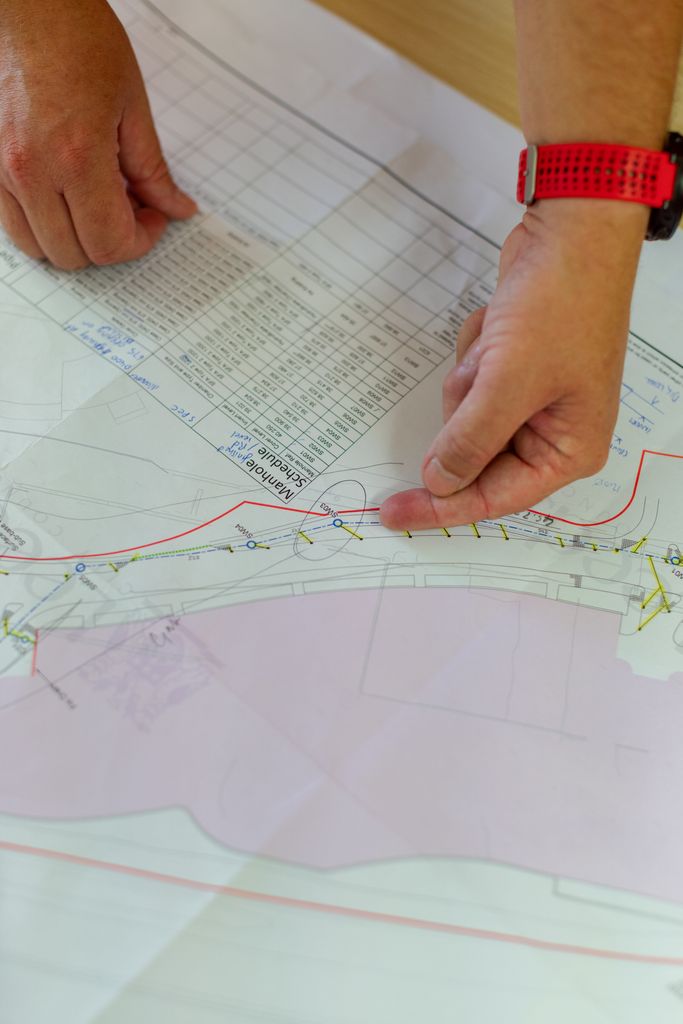
The one-line difference between them
AutoCAD is a general drafting platform. Civil 3D is built on top of it and adds site grading, surfaces, corridors, pipe networks, and parcels. It also plays well with the rest of the Autodesk world, like Revit. Bentley’s setup mirrors that. MicroStation is the drafting platform, and OpenRoads Designer is built on top of it for road and site design. MicroStation started as a general drafting tool, but it grew up on big infrastructure jobs. It handles huge drawings with lots of referenced files well.
Neither is a toy. Both are serious civil tools used on serious projects. They just come at the work from different directions. One grew out of the broad Autodesk world. The other grew up on big public infrastructure. So the fair comparison is Civil 3D against OpenRoads Designer. Plain MicroStation does not do corridors or grading. When a DOT asks for its Bentley standards, it usually means OpenRoads Designer, not plain MicroStation. That difference shows up most in who uses each one.
The software you pick is a design decision. Making it run well is an IT decision.
Who actually uses which
Your choice is often made for you by your clients.
Public transportation work leans heavily on Bentley. Most state DOTs use OpenRoads Designer on MicroStation. Tennessee’s DOT, for example, uses OpenRoads Designer for new projects. A handful of DOTs have gone the other way. Wisconsin, Massachusetts, Montana, and New Mexico all publish Civil 3D standards, and Wyoming says it is moving to Civil 3D. So if you do roadway, bridge, or other DOT work, check your own DOT’s CADD page first. Most will hand you Bentley standards and ask for DGN files. You do not get to vote.
Private land development leans the other way. Site work, subdivisions, commercial sites, and utility design are often done in Civil 3D. It is easier to hire for, since more people know it, and it is often simpler for a small firm to start with. It also has a bigger community, more training, and more plugins to lean on.
So ask yourself one question before anything else. Who signs off on your drawings? If it is state DOTs, OpenRoads and MicroStation are probably in your future. If it is private developers and local municipalities, Civil 3D is the safe default. Many firms end up needing both, and that is its own story below.
The file format problem: DWG vs DGN
This is where the two worlds collide, and it matters more than most people expect.
AutoCAD saves in DWG. It is the most common CAD format in the world, and almost everyone can open it. MicroStation saves in DGN. It is the standard in government and transportation, especially for DOT projects. Two different native formats, and they do not mix cleanly.
You can convert between them. Both tools can import and export the other’s format, and Civil 3D has decent DGN import tools. But “can convert” is not “converts perfectly.” Translating a drawing from one format to the other can drop or change linework, text, and styles, because the two programs organize things differently. Autodesk itself warns that DGN objects with no DWG match “may not translate completely.” Closed shapes can come in open, and symbol colors can drop. Every conversion is a chance for something to shift, and on a deadline that is a real risk.
If a client requires DGN, do not plan to draw in Civil 3D and just export at the end. The conversion can bite you. It is usually cleaner to work in the tool the deliverable requires.
The licensing surprise nobody mentions
Licensing is pure IT and budget. The two companies license their software very differently.
Autodesk is simpler for most small firms. Most seats are a subscription for one named user, paid monthly, yearly, or for three years. That person can run the software as much as they want, and usage does not change the bill. The exception is Autodesk Flex, which is pay as you go. Flex is billed by the day of use, so it fits occasional users.
Bentley, which makes MicroStation and OpenRoads, sells a few subscription types, and they bill differently. Virtuoso is a 12 month subscription with no usage fees. SELECT bills based on your firm’s usage each quarter. E365 bills on what you actually use over time. On SELECT, Bentley counts how many machines run an app in every 10 minute window. If your busiest moment beats the licenses you own, you get a term license invoice after the quarter ends.
So the surprise bill is real, but it does not come from long hours. It comes from too many machines running the software at the same time. One person with MicroStation open on two computers counts as two. That is exactly the kind of invoice that wrecks a small firm’s budget.
You should understand your licensing before you commit, not after the bill arrives. On SELECT, someone needs to watch peak usage and set Bentley’s usage controls, so a busy week does not turn into a bad invoice. Our post on why MicroStation kicks out some users covers more of how Bentley licensing behaves day to day.

Both tools are hungry: the workstation reality
Whichever you pick, the software is heavy, and a weak computer will make either one miserable.
Real civil work in either tool wants a strong machine. That means a fast multi-core processor, plenty of memory (32 to 64 GB for big projects), a real graphics card, and fast NVMe SSD storage so files open quickly. Put either program on a tired five-year-old office PC and you will get lag, crashes, and a frustrated team, no matter which brand’s logo is on the screen.
This is why the software choice and the hardware choice go together. Picking the right tool does not help if it runs on the wrong machine. The same rules apply to MicroStation as to Civil 3D. The program is only half the setup. The computer under it is the other half. Our Revit and Civil 3D workstation guide covers the specs in more detail.
Free download: Workstation Buying Guide
A plain English guide to choosing CAD and BIM workstations that will not slow your team down.
Your files just got huge: the backup reality
One more thing both tools share. Civil projects create big, sprawling sets of files, and losing them is a disaster.
A single civil project is not one drawing. It is a web of files that reference each other: surfaces, alignments, sheets, and dozens of external references (in AutoCAD these are xrefs, in MicroStation they are reference files). Break one link or lose one folder and the whole set can fall apart. And these projects are worth a fortune in billable hours.
So whichever platform you choose, you need real backup. Not “it is probably on the server.” Real, tested, automatic backup that keeps multiple copies, including one off-site and one that cannot be changed or deleted. Keep three copies of your data, on two kinds of storage, with one copy off-site. This is what we call the 3-2-1 backup, and we explain it in our post on why your firm needs a real backup plan. The tool you draw in does not matter here. Losing the drawings is equally painful either way.
The mixed-shop headache
Many firms end up running both.
For example: your firm does mostly private site work in Civil 3D. Then you win a road project for the state, and it requires MicroStation and DGN files. Now half your team is in one tool and half is in the other. You are converting files back and forth, keeping two sets of standards, training people on both, and troubleshooting two kinds of licensing. That is a lot of moving parts for a small office to manage on the side.
This is where good IT quietly saves you. Workstations built to run both. Licensing set up and watched, with usage controls where Bentley offers them. File storage and backup that handle both formats. And a help desk that knows the difference between an xref and a reference file when something breaks. Running two platforms is doable. Running two platforms without a plan is where the lost hours hide.
So which should you pick?
If your clients are state DOTs or you do transportation and public infrastructure work, plan on MicroStation and OpenRoads. The agencies require it, and fighting that just creates conversion pain. If you do private land development, site design, and local municipal work, Civil 3D is usually the easier, better-staffed default, and it connects nicely to the rest of the Autodesk tools you likely already use. If you do both kinds of work, you may need both tools, and the job becomes managing them well.
Notice what did not decide it: which one is “better software.” Both are strong. What decides it is your clients, your deliverables, and your budget. Pick for the work you actually do, not for the tool with the loudest fans online. We take the same evenhanded approach in our post on AutoCAD vs Revit and whether you need both.
Frequently asked questions
What we do for civil firms
Choosing between AutoCAD and MicroStation is your call as an engineer, and it should be, because it is about the work you do and the clients you serve. Making that software actually run well is our call, and that is exactly what our managed IT services handle for civil firms. Based in East Tennessee. Serving firms nationwide.
That means workstations built to run Civil 3D or MicroStation well. Licensing set up and watched, so you see your usage before the invoice arrives. Real 3-2-1 backup that protects every project file, in either format. And a help desk that keeps the computers, files, licenses, and security behind your design software running. When something breaks, you have someone to call who already knows your setup. When you want it handled by people who know this world, give us a call for a free IT checkup, so you can focus on the design, not on the software fighting back.
Key takeaways
- The choice between AutoCAD Civil 3D and MicroStation is usually driven by your clients, not by which tool is “better.” Most state DOTs use Bentley’s OpenRoads Designer and DGN files, while private land development commonly runs on Civil 3D, which is usually easier to staff.
- The formats do not mix cleanly. DWG (AutoCAD) and DGN (MicroStation) can be converted, but conversion drops or changes linework and styles, so it is safer to work in the format your deliverable requires than to convert a finished drawing.
- Whichever you pick is a heavy program that needs a strong workstation, creates big project files that need real 3-2-1 backup, and carries licensing quirks (especially Bentley’s quarterly usage billing on SELECT) that can surprise your budget. The software is a design decision; making it run well is an IT decision.
Running Civil 3D, MicroStation, or both? Let’s make it run right.
We spec the workstations, watch the licensing, and back up every project file, in either format. So the software works and you design.
Sources: Bentley Term License Fact Sheet; Bentley Licensing and Subscriptions; TDOT CADD Support; WisDOT Civil 3D; NMDOT CADD Standards; WYDOT CADD Support; Autodesk: About Importing MicroStation DGN Files; OpenRoads Designer System Requirements (Bentley).




One Comment