

What Internet Speed Does a Design Firm Actually Need?
Plenty of design firms are either underpowered or overpaying for internet, because nobody checked the math against how CAD and BIM actually use bandwidth.
Here is the short version. Look at upload speed, not just the big download number on the ad. Ask for a symmetrical connection, which usually means fiber. For Revit cloud worksharing, Autodesk lists 5 to 25 Mbps of symmetrical bandwidth for each machine. Add a backup line from a different provider if your firm lives in the cloud.

The number the ads hide: upload speed
You are staring at internet plans, and they all shout one big number. 300! 500! 1000! Faster sounds better, so you pick a number that feels safe, sign up, and move on. Then your team complains that the cloud is slow, backups crawl, and sending a big file to a client takes forever. Here is the thing the ads do not tell you. That big number is only half the story, and for a design firm, it is often the less important half.
Start with the single most important idea in this whole post. Internet plans advertise download speed, the speed of pulling things in. But design firms live on upload speed, the speed of pushing things out. And those are often very different. A plan advertised as “300 megabits” usually means the download. On many cable plans, the upload is a small fraction of that. Check the upload number on the actual quote. For browsing and streaming, that is fine. For your firm, it is a problem.
Think about what your firm pushes up to the internet all day. Big models syncing to BIM 360 or Autodesk Construction Cloud (now called Autodesk Forma). Backups copying to the cloud every night. Drawings going out to clients. Video calls sending your camera feed. All of that rides on upload. So the first rule: do not judge an internet plan by its download number alone. Look at the upload.
A fast download with a tiny upload is like a wide front door and a mail slot for an exit. Everything jams trying to get out.
Why “symmetrical” is the word that matters
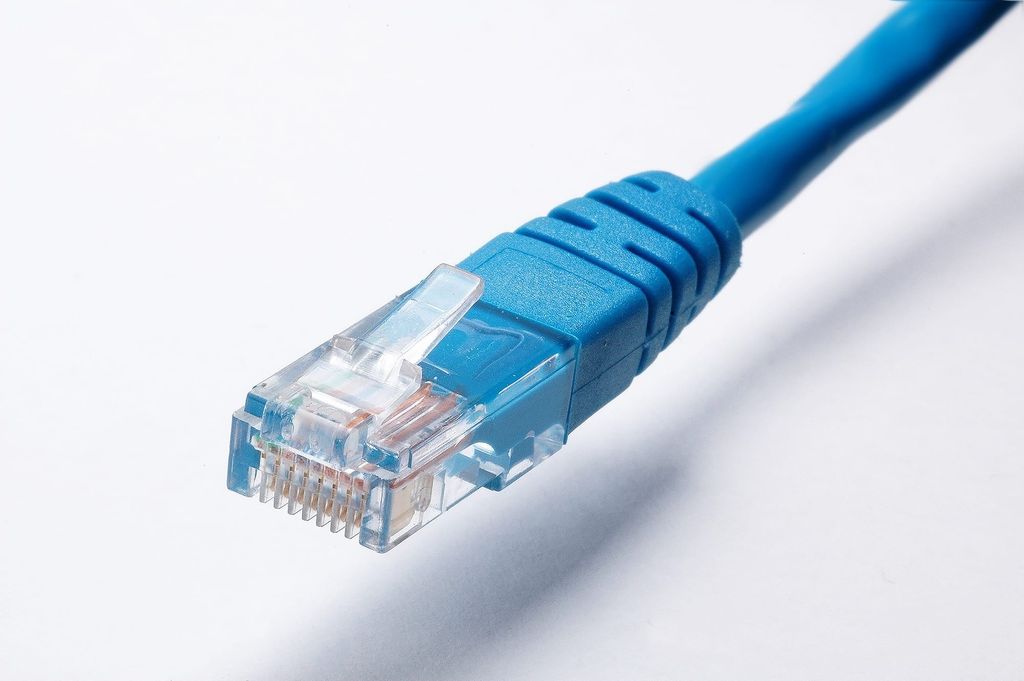
Here is the term to know, and to ask for by name. A symmetrical connection means your upload and download speeds are equal. A plan that is 500 down and 500 up is symmetrical. A plan that is 500 down and 20 up is not, and that gap is exactly where design firms get hurt. Symmetrical service usually means fiber, internet delivered over fiber optic lines, the fastest and steadiest kind. Cable internet is cheaper and common, but it is usually lopsided. If fiber is available at your office, it is almost always the right choice for a design firm.
How much do you actually need?
There is no single magic figure, because it depends on your team size and how much cloud work you do. But here are our rule of thumb starting points. For general office work, a small firm of five to ten people should look for a few hundred megabits both ways. A firm of ten to twenty-five should aim higher, toward the high hundreds or a gigabit. That covers video calls, email, browsing, and normal cloud apps with room to spare.
For heavy cloud BIM, the guidance gets specific. Autodesk’s system requirements for Revit cloud worksharing list a symmetrical connection for each machine on burst transfers: 5 Mbps at minimum, 10 Mbps for the value tier, and 25 Mbps for the performance tier. That adds up fast. For example, let’s say ten people work in cloud models at once. At the performance tier, that is 250 Mbps of symmetrical bandwidth for Revit alone. The honest takeaway: buy a bit more headroom than you think you need, weight it toward upload, and make it symmetrical if you can. Internet is cheap compared to a whole team waiting on a sync bar.
The other things that matter besides speed
Speed is the headline, but two more things shape whether your internet actually feels fast. The first is latency, the delay on each request, separate from raw speed. Low latency makes cloud apps and remote desktops feel snappy. High latency makes them feel sluggish even on a fast connection. Fiber tends to have low latency, which is one more reason it wins for cloud-heavy firms.
The second is reliability and a backup plan. If your firm runs on the cloud and your one internet line goes down, work stops. For a firm that truly depends on cloud tools, a second internet connection that takes over automatically (a failover) is worth considering, so an outage is an annoyance instead of a lost day. Get it from a different provider, over a different kind of line, like fiber plus cable or 5G. Two lines from the same provider on the same cable can fail together.
Free download: Downtime Cost Calculator
Put a real dollar figure on what an hour of downtime costs your firm.
How this connects to your cloud headaches
If your team complains that BIM 360 stalls, the cloud is slow, or remote work crawls, weak internet is worth checking, especially weak upload. It is easy to blame the software or the cloud when the real bottleneck is a lopsided internet plan that cannot push the work up fast enough. If the slowness is in your office on files from your own server, see our post on AutoCAD and Revit running slow over a network drive. For remote work, see why Revit feels broken from home and VPN vs remote desktop for design firms. The more your firm leans on the cloud, the more your upload speed quietly decides how good your day feels.
Frequently asked questions
We will right-size your connection
Picking internet for a design firm is not about the biggest download number on the ad. It is about enough symmetrical speed, weighted toward upload, with low latency and a backup plan, sized to how much your team works in the cloud. If your cloud tools feel slow or your big files take forever to send, give us a call for a free IT checkup. We will check whether your internet is the bottleneck, tell you the speeds you actually need, and help you get a connection that keeps up. It is all part of our managed IT services. Based in East Tennessee. Serving firms nationwide.
Key takeaways
- Internet plans advertise download speed, but design firms live on upload speed. You push models to the cloud, run backups, and send drawings out all day, and a weak upload strangles all of it.
- Ask for a symmetrical connection, where upload and download are equal, which usually means fiber. A small firm should look for a few hundred megabits both ways, scaling up with team size and concurrent cloud users.
- Speed is not the only thing. Low latency makes cloud and remote work feel snappy, and a backup internet line keeps an outage from stopping a cloud-dependent firm. Size your internet for what you upload, not just the headline number.
Cloud tools slow even though you pay for “fast” internet?
We check whether your connection is the bottleneck and tell you the symmetrical speeds your firm actually needs. No obligation, no sales pitch.
Sources: System Requirements, Revit cloud worksharing (Autodesk); Small Business Internet Speed (EPB, an internet provider); Understanding Business Internet Speeds (Spectrum Business, an internet provider)





2 Comments